Introduction and overview
Most people live with useful knowledge scattered across devices, notebooks, and the corners of their memory. The problem is not always that you lack information; it’s that you cannot pull the right piece out quickly when it matters. That lost minute or lost idea becomes a small source of stress—or a missed opportunity.
This article lays out a simple, practical approach to collecting the things you actually need: the routines, tips, examples, and observations that repeatedly help you make better decisions. The method is intentionally small. It avoids complex software, rigid taxonomies, and the urge to save everything. Instead, it focuses on three decisions and a tiny maintenance habit that keep your best insights available and useful.
Short, repeatable steps beat massive systems you never use.
Why your knowledge disappears and why it matters
You accumulate useful experiences constantly. You experiment at work, try a new evening routine, adjust a parenting approach, or stumble on a phrase that wins attention. Those moments often get recorded in different places: an app, a text message, a napkin, a browser tab. Over time, the collection grows chaotic. Retrieval becomes the bottleneck.
Forgetting is costly. When you cannot find the note about a successful marketing subject line or the one stretch that eased your pain, you waste time repeating experiments. Decisions become harder because you lack reliable memory aids. Small mistakes repeat. Opportunities for improvement are delayed.
The solution is practical: collect the few things that genuinely change outcomes and make them discoverable. The effort pays back in saved time, fewer repeated mistakes, and more consistent wins.
What a personal expert library is and what it is not
A personal expert library is a compact collection of the ideas, techniques, and records you will realistically use again. Think of it as a curated toolbox composed of items that help you act—solve a problem, repeat a success, or answer a frequent question. It is intentionally small and functional.
It is not a museum of every interesting article, nor a database meant to archive the entire internet. It is not a task to perfect, but a practical habit. The goal is usefulness: when you need a solution, the relevant note should be easy to find and apply.
A clear distinction: usefulness over perfection.
The three core decisions that make an expert library work
The most important part of any system is the decisions that shape it. For a personal expert library, three choices carry most of the weight: what to keep, where it lives, and how to find it fast. Answer these three and you have a system you are likely to use.
These decisions reduce friction. When a new idea appears, you won’t pause to ponder which app, which tag, or which folder. You already know the rules. That makes saving fast and retrieval reliable.
What to keep
The first filter for saving anything is simple: will future-you use this to solve a problem, make a decision, or create something? If the answer is no, don’t add it.
A practical rule of thumb: prioritize recurring matters. Save items that relate to repeat problems, repeat wins, or repeat questions. If a note is unlikely to return value, skip it. This avoids the “everything is worth saving” trap that turns good intentions into clutter.
Small, concrete examples are useful: a specific email subject line that increased opens, a brief sequence of steps that improved a morning routine, a troubleshooting step that fixed a recurring technical hiccup. Those are the items that belong.
Where it lives
Choose one paper place and one digital place. That is enough for most people.
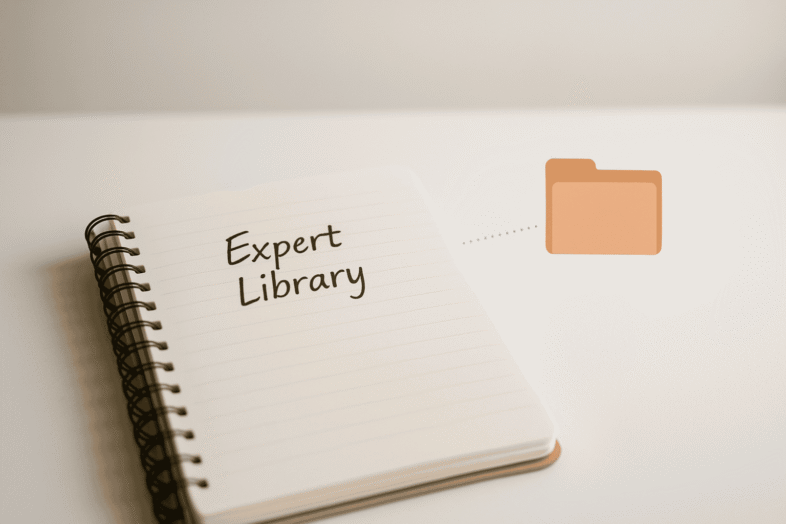
For paper, pick a single notebook or a designated section of a notebook that sits where you often think or work. For digital, create one folder labeled clearly—one place to drop screenshots, notes, and short files. When the question “where do I save this?” arises, the answer is immediate: the library.
Keep it minimal. Too many storage spots cause decision fatigue. One obvious place for physical notes and one obvious folder for digital files remove that friction.
How to find it fast
Titles and simple keywords are the search strategy. Think like future-you. How will you search for this note when tired or rushed?
Use descriptive titles that include a problem or outcome and a time marker where helpful. For instance: “Email subject lines – doubled open rate, Apr 2025” or “Evening routine – helped sleep, week of Mar 10”. In paper, headings like “Back pain log” or “Quick dinners – 20 minutes” serve the same purpose.
Avoid elaborate tagging systems unless you genuinely enjoy them. One or two keywords, plus a clear title, will return far more value than an immaculate but unused taxonomy.
Practical categories to start with
Starting categories should reflect the areas where repetition matters for you. Begin with a few broad buckets and add as needed. Early focus encourages consistent use.
Below are practical categories that nearly everyone can adapt.
Repeat problems
A repeat problem is anything that frustrates you regularly. Meal planning, inbox overload, persistent back pain—if it crops up more than a couple of times, it deserves a spot.
For each problem, capture solutions you try, whether they worked, and any small context that matters. Over time patterns emerge and you stop re-testing solutions you already ruled out.
A short log may be enough. You don’t need volumes. A page that tracks occurrences and what helped will yield insights.
Repeat wins
A repeat win is an action that reliably produced better results than expected. It could be a subject line that doubled open rate, a specific phrasing that closed a sale, or a brief workout that consistently boosts energy.
Record what you did, the circumstances, and why you think it worked. These notes become a personal library of tactics you can deploy quickly when needed.
Even a handful of well-documented wins multiplies your effective output.
Repeat questions
People often ask you the same things—at work, in your family, or among friends. These repeat questions are a direct source of expertise.
Write down your typical answers, including links, references, or short scripts. For instance: “How I run the monthly report – steps and shortcuts” or “Recommended pediatrician – contact info and appointment tips.”
This saves time and ensures consistency when you share knowledge with others.
Health signals to track
Health-related entries should be concise and regular. Track sleep times, pain episodes, energy dips, or dietary changes with one or two quick notes per occurrence.
For example: “Sleep: 10:30-6:30 — scrolled before bed, felt groggy.” Over weeks, small patterns show up that can inform decisions about routines or medical consultations.
Keep the format simple: date, brief context, and one-line note of effect. Consistent recording beats detailed sporadic logs.
Choosing simple storage options
Simplicity drives consistency. Select tools you already use or can keep within reach. The priority is low friction.
A single physical notebook and a single digital folder are the recommended starting point. Both should be obvious and accessible.
One paper place and one digital place
Paper is useful because it’s immediate and tactile. Pick one notebook and keep it nearby—countertop, desk, or bedside table. Label the first page with the library name and a focus area.
For digital, create a top-level folder with a clear name. Inside, you may add a few subfolders like “Work,” “Health,” and “Life” if that helps, but keep the structure shallow. The aim is to reduce the decision-making required when saving.
If you prefer note-taking apps, use one app and one notebook within it. The principle remains: minimize the number of places to save.
Consolidating old notebooks and files
You probably have scattered notes in old notebooks, archived folders, and cloud storage. You don’t need to merge everything at once. Instead, designate one notebook as the current library and one folder as the current digital library.
Treat older materials as archives. When an old note proves useful, transfer it to the current library. This gradual consolidation prevents an overwhelming weekend project and focuses energy on the notes that matter most.
A quick scan through old notebooks can yield several useful items to migrate. If nothing from an old notebook is worth saving, that’s useful information too.
How to title and tag entries for fast retrieval
Titles are the single most effective retrieval tool. Compose titles that include the problem or outcome and a time or context when helpful. Keep them short and searchable.
Avoid vague titles like “Notes” or “Article.” Prefer “Presentation outline – client X, tips that worked” or “Stretch for lower back – helped after long flights.” Use one or two keywords in the body or at the top for digital notes so app search catches them.
For paper, write headings in a consistent place—top of page, bolded. That steadiness makes flipping and scanning faster.
Keep tags light. One or two keywords is enough. The aim is to reduce the work needed to find things later.
Weekly ten minute maintenance routine
The single habit that keeps a library functional is a weekly ten-minute session. Consistency matters more than intensity.
Scheduled, brief maintenance prevents a pileup of unsorted materials and keeps retrieval reliable. Ten minutes is a manageable habit for most people.
Capture what you meant to save
Use the first three or four minutes to capture items you intended to save during the week. Bring screenshots, meeting notes, and quick observations into the single notebook or folder. This prevents loss and keeps the library current.
Make capture fast: if something feels useful, drop it in immediately during the week or save it to a staging note to process during the weekly session.
Quick tidy and rename
Spend two or three minutes renaming mis-titled entries or moving stray files into the main folder. Correct titles make search reliable.
This is not a major reorganization. It’s a surface tidy—one or two edits that improve discoverability.
Review one area so the library feeds decisions
Use the remaining minutes to review one small area. Skim through “Health” or “Marketing ideas” and ask: is there anything here I want to apply this week? This turns passive notes into active decisions.
Regular review ensures the library grows in ways that support daily life rather than sitting unused.
Real life examples and mini case studies
Concrete examples make the method easier to replicate. Below are short case studies showing how small libraries change outcomes.
Marketing swipe file that speeds brainstorming
A marketing manager found herself stuck before every campaign kickoff. She created a single folder named “Swipe file.” Into it she dropped screenshots of effective ads, subject lines that outperformed, and brief notes on why each piece worked.
Brainstorming sessions became faster. Instead of a blank page, she opened the swipe file and mixed and matched elements that already proved effective. The small collection reduced start friction and raised creative output.
Simple sleep log that reveals patterns
A client struggling with sleep kept a single page in her notebook: date, bedtime, wake time, and one quick note like “late coffee” or “walk after dinner.” After a few weeks, she noticed that post-dinner walks correlated with better sleep. That insight replaced months of expensive supplements and guesswork.
A one-line daily habit produced a high-return pattern.
Technology note that prevents tab overload
Someone trying new tools created a note titled “Tools I tried – one line summary.” For each tool they recorded what problem it solved and whether they’d recommend it. Rather than keeping dozens of tabs open, they had a concise reference. Decisions about which tool to try next became easier, and time wasted on low-value apps decreased.
Avoiding perfectionism and keeping it useful
Perfectionism kills practical systems. If organizing becomes the task rather than using the information, the system fails.
Allow the library to be messy. Start small—five useful notes in an imperfect folder will move the needle more than a flawless system never used. If you find yourself color-coding and redesigning rather than applying notes, stop and use what you have.
The goal is functional retrieval, not aesthetic organization.
Starter templates and sample titles you can copy
Templates reduce hesitation. Use these quick formats to begin.
– For wins: “Outcome – what I did, month/year”
– For problems: “Problem – attempted solutions & results”
– For repeat questions: “Question – my standard answer & resources”
– For health: “Sleep log – date – bedtime/wakeup – key note”
– For tech: “Tool: name – problem solved – recommend? yes/no – note”
Sample titles that work:
– “Email subject lines – doubled open rate, Apr 2025”
– “Quick dinners – 3 recipes, 20 minutes each”
– “Back pain – nightly stretch that helps”
– “Report template – shortcut keys & steps”
– “Pediatrician recommendation – Dr. Lee – contact”
These simple formats improve searchability and remove decision fatigue when saving.
How to scale and adapt the library to different life areas
A tiny library can expand naturally. The same three decisions and maintenance routine apply whether your focus is work, health, parenting, or hobbies. Scale by adding focused sections rather than separate systems.
Keep expansion controlled. When a new area requires more attention, add it as a section or subfolder—but maintain the single physical and single digital starting point.
Work
At work, a library can include process notes, winning pitches, meeting templates, and project retrospectives. Document the steps that repeatedly produce results: the structure of a persuasive presentation, email templates that get responses, and post-mortem notes that prevent repeats.
Prioritize items that save time or improve outcomes. Let the library become the first stop before reinventing solutions.
Health
For health, focus on short logs and concrete signals: sleep, energy, pain, and reactions to treatments or supplements. Record outcomes and context so you can bring data to a clinician or simply make better self-care choices.
Short entries work best: date, brief context, and effect.
Parenting
Parenting benefits from ready answers. Keep routines, favorite books, permission slips, and simple scripts that work with kids. Note what activities calm a child, what phrases help cooperation, and where to find local resources.
A small parenting file reduces stress in repeat scenarios.
Learning and hobbies
For hobbies and learning, save tips that accelerate progress: technique notes, practice routines, and references you return to. Rather than bookmarking dozens of articles, keep a few distilled notes that outline what mattered.
This focused collection supports steady improvement.
Action plan to build your first tiny expert library
Follow this step-by-step plan to get started in under an hour.
1. Choose one area to focus on this week: work, health, or learning.
2. Select one physical notebook and create or locate one digital folder. Label both clearly.
3. Capture five to ten items: a mix of repeat problems, wins, or questions. Use the sample titles and templates above.
4. Set a weekly ten-minute block on your calendar for library maintenance.
5. During the first maintenance session, tidy titles and review one area to pick one thing you will apply this week.
Do this consistently and the library will start to repay the small effort quickly.
Final takeaways
A personal expert library is a practical habit that helps you reuse what you already know. It thrives on three decisions: what to save, where to keep it, and how to make it searchable. Keep the system small: one notebook, one folder, clear titles, and a ten-minute weekly check-in.
Start with a single area. Capture a handful of high-value notes. Let the system be imperfect but functional. Over time, small patterns emerge, decisions become easier, and the friction of hunting for your own knowledge disappears.
Useful and simple wins every time.